






Myanmar End User
  • Home
  • News
  • Howto
  • Graphic Design
    • All
    • Illustrator
    • Photoshop
    Adobe မှ AI Video Generator Beta version ထုတ်ပြ

    Adobe မှ AI Video Generator Beta version ထုတ်ပြ

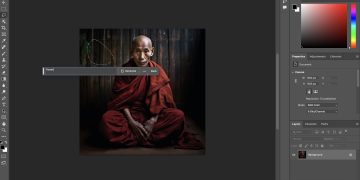
    Photoshop မှာ Generative AI Feature ကို ထည့်သွင်းလိုက်တဲ့ Adobe

    Photoshop မှာ Generative AI Feature ကို ထည့်သွင်းလိုက်တဲ့ Adobe

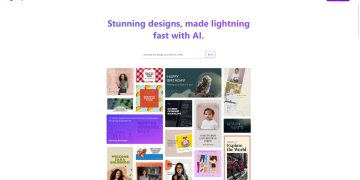
    Social Media Graphic Design တွေကို အလိုအလျောက်ဖန်တီးပေးနိုင်တဲ့ Microsoft Designer AI

    Social Media Graphic Design တွေကို အလိုအလျောက်ဖန်တီးပေးနိုင်တဲ့ Microsoft Designer AI

    ဒီဇိုင်း

    ဒီဇိုင်း တစ်ခုဆွဲမယ်ဆိုရင် အရောင်တွေကို ဘယ်လိုရွေးချယ်ရမလဲ?

    DALL-E 2 AI

    DALL-E 2 ကို သုံးပြီး AI Generated Picture တွေဖန်တီးကြမယ်

    သင်မသိလောက်သေးတဲ့ Photoshop အသုံပြုပုံ (၅) မျိုး

    သင်မသိလောက်သေးတဲ့ Photoshop အသုံပြုပုံ (၅) မျိုး

    Line Theory – Line တွေကို ဆရာကျကျ ဒီဇိုင်းမှာသုံးကြမယ်

    Line Theory – Line တွေကို ဆရာကျကျ ဒီဇိုင်းမှာသုံးကြမယ်

    Photoshop ထဲက Distort Displace ကိုသုံးပြီး ရေပြင်မှာ အရိပ်အတုလုပ်ကြမယ်

    Photoshop ထဲက Distort Displace ကိုသုံးပြီး ရေပြင်မှာ အရိပ်အတုလုပ်ကြမယ်

    Photoshop သုံးပြီး Glass Effect Style တစ်ခု လုပ်ကြမယ်

    Photoshop သုံးပြီး Glass Effect Style တစ်ခု လုပ်ကြမယ်

    • Photoshop
    • Illustrator
  • Lifestyle
  • Monetization
  • Travel
  • Services
    • In-Stream Ads Monetization Service
No Result
View All Result
  • Home
  • News
  • Howto
  • Graphic Design
    • All
    • Illustrator
    • Photoshop
    Adobe မှ AI Video Generator Beta version ထုတ်ပြ

    Adobe မှ AI Video Generator Beta version ထုတ်ပြ

    Photoshop မှာ Generative AI Feature ကို ထည့်သွင်းလိုက်တဲ့ Adobe

    Photoshop မှာ Generative AI Feature ကို ထည့်သွင်းလိုက်တဲ့ Adobe

    Social Media Graphic Design တွေကို အလိုအလျောက်ဖန်တီးပေးနိုင်တဲ့ Microsoft Designer AI

    Social Media Graphic Design တွေကို အလိုအလျောက်ဖန်တီးပေးနိုင်တဲ့ Microsoft Designer AI

    ဒီဇိုင်း

    ဒီဇိုင်း တစ်ခုဆွဲမယ်ဆိုရင် အရောင်တွေကို ဘယ်လိုရွေးချယ်ရမလဲ?

    DALL-E 2 AI

    DALL-E 2 ကို သုံးပြီး AI Generated Picture တွေဖန်တီးကြမယ်

    သင်မသိလောက်သေးတဲ့ Photoshop အသုံပြုပုံ (၅) မျိုး

    သင်မသိလောက်သေးတဲ့ Photoshop အသုံပြုပုံ (၅) မျိုး

    Line Theory – Line တွေကို ဆရာကျကျ ဒီဇိုင်းမှာသုံးကြမယ်

    Line Theory – Line တွေကို ဆရာကျကျ ဒီဇိုင်းမှာသုံးကြမယ်

    Photoshop ထဲက Distort Displace ကိုသုံးပြီး ရေပြင်မှာ အရိပ်အတုလုပ်ကြမယ်

    Photoshop ထဲက Distort Displace ကိုသုံးပြီး ရေပြင်မှာ အရိပ်အတုလုပ်ကြမယ်

    Photoshop သုံးပြီး Glass Effect Style တစ်ခု လုပ်ကြမယ်

    Photoshop သုံးပြီး Glass Effect Style တစ်ခု လုပ်ကြမယ်

    • Photoshop
    • Illustrator
  • Lifestyle
  • Monetization
  • Travel
  • Services
    • In-Stream Ads Monetization Service
No Result
View All Result
Myanmar End User
No Result
View All Result

iOS 26.1 Beta အသစ် မှာ Liquid Glass အရမ်းလင်းနေတာကို စိတ်ကြိုက်ပြင်လို့ရပြီ 

Khant Zin Aung by Khant Zin Aung
October 21, 2025
in News
Reading Time: 1 min read
0
0
SHARES
7
VIEWS
Share on FacebookShare on TwitterShare on Telegram
ADVERTISEMENT

Apple က မကြာသေးခင်ကပဲ iOS 26.1 developer beta အသစ်ကို ထုတ်ပေးလိုက်ပါတယ်။ ဒီ Beta မှာ အဓိကပါလာတာကတော့ iOS 26 ရဲ့ ဒီဇိုင်းအသစ် Liquid Glass ကို သိပ်မကြိုက်တဲ့သူတွေအတွက် option အသစ်တစ်ခု ဖြစ်ပါတယ်။ Liquid Glass က အရမ်းကြည်လင်တောက်ပနေတဲ့အတွက် စာဖတ်ရတာ အဆင်မပြေဘူးလို့ တချို့သုံးစွဲသူတွေက feedback ပေးခဲ့ကြတာ ဖြစ်ပြီး Apple က အဲ့ဒီပြဿနာကို ဖြေရှင်းပေးလိုက်တာ ဖြစ်ပါတယ်။

iOS 26.1 Beta အသစ် မှာ Liquid Glass အရမ်းလင်းနေတာကို စိတ်ကြိုက်ပြင်လို့ရပြီ 

အဆိုပါ Setting အသစ်က Liquid Glass ကို ပိုပြီး opaque (သိပ်မကြည်တော့တဲ့ပုံစံ) ဖြစ်အောင် ‘tint’ လုပ်ပေးမှာပါ။ Setting > Display & Brightness > Liquid Glass ထဲမှာ “Clear” (မူရင်းပုံစံ) နဲ့ “Tinted” (နည်းနည်းမှိုင်းတဲ့ပုံစံ) ဆိုပြီး နှစ်မျိုးရွေးချယ်နိုင်မှာ ဖြစ်ပါတယ်။

ဒီ Feature ကို iPadOS နဲ့ macOS beta တွေမှာလည်း ရနိုင်မှာ ဖြစ်ပါတယ်။ နောက်ပြီး Lock screen ကနေ ကင်မရာကို swipe လုပ်ပြီးဖွင့်တဲ့ feature ကိုလဲ ကိုယ်မကြိုက်ရင် ပိတ်ထားလို့ ရမှာဖြစ်ပါတယ်။ ဒါက ကိုယ့်ဖုန်းကို တခြားသူတစ်ယောက်ယောက်ကိုင်ထားမိရင်တောင် lock မဖွင့်ဘဲ ဓာတ်ပုံတွေလျှောက်ရိုက်လို့ မရတော့အောင် ကာကွယ်ပေးနိုင်မှာ ဖြစ်ပါတယ်။
ADVERTISEMENT
Tags: BetaiOS 26.1Liquid GlassNew Feature
Khant Zin Aung

Khant Zin Aung

MyanmarEndUser တွင် နည်းပညာဆိုင်ရာ ပိုစ့်များကို Junior Writer အဖြစ် ရေးသားမျှဝေနေသူ ဖြစ်သည်။

Related Posts

Siri ကို Google Gemini နဲ့ ပေါင်းပြီး Apple က ဖေဖော်ဝါရီလမှာ မိတ်ဆက်ဖွယ်ရှိ
News

Siri ကို Google Gemini နဲ့ ပေါင်းပြီး Apple က ဖေဖော်ဝါရီလမှာ မိတ်ဆက်ဖွယ်ရှိ

January 26, 2026
Asus စမတ်ဖုန်းလုပ်ငန်းကို အကန့်အသတ်မရှိ ရပ်နားကြောင်း အတည်ပြု – AI ကိုပဲ အဓိကထားတော့မည်
News

Asus စမတ်ဖုန်းလုပ်ငန်းကို အကန့်အသတ်မရှိ ရပ်နားကြောင်း အတည်ပြု – AI ကိုပဲ အဓိကထားတော့မည်

January 20, 2026
Adobe ကို တိုက်ရိုက်စိန်ခေါ်လိုက်ပြီ – Apple က Creator Studio Suite အသစ်ကို မိတ်ဆက်
News

Adobe ကို တိုက်ရိုက်စိန်ခေါ်လိုက်ပြီ – Apple က Creator Studio Suite အသစ်ကို မိတ်ဆက်

January 14, 2026
ဇန်နဝါရီလအတွင်းမှာ စတင်ရောင်းချမယ့် အကောင်းဆုံး Budget ဖုန်းကို Samsung က မိတ်ဆက်
News

ဇန်နဝါရီလအတွင်းမှာ စတင်ရောင်းချမယ့် အကောင်းဆုံး Budget ဖုန်းကို Samsung က မိတ်ဆက်

January 3, 2026
၂၀၂၆ ခုနှစ်မှာ Google Photos ဟာ Samsung TVs တွေမှာ ပါဝင်လာတော့မည်
News

၂၀၂၆ ခုနှစ်မှာ Google Photos ဟာ Samsung TVs တွေမှာ ပါဝင်လာတော့မည်

January 1, 2026
သင့်ရဲ့ Gmail Address ကို မကြာမှီ ပြောင်းလဲခွင့် ရတော့မည်
News

သင့်ရဲ့ Gmail Address ကို မကြာမှီ ပြောင်းလဲခွင့် ရတော့မည်

January 1, 2026
Next Post
Android ရှိ Gboard မှာ Period Key နဲ့ Comma Key တို့ကို ဖျောက်ထားနိုင်ပြီ

Android ရှိ Gboard မှာ Period Key နဲ့ Comma Key တို့ကို ဖျောက်ထားနိုင်ပြီ

Discussion about this post

  • About Us
  • Privacy Policy
  • Data Deletion Request
  • About Us
  • Privacy Policy
  • Data Deletion Request

© 2023 Myanmarenduser.com

Welcome Back!

Sign In with Facebook
Sign In with Google
OR

Login to your account below

Forgotten Password?

Retrieve your password

Please enter your username or email address to reset your password.

Log In

Add New Playlist

No Result
View All Result
  • Home
  • News
  • Howto
  • Graphic Design
    • Photoshop
    • Illustrator
  • Lifestyle
  • Monetization
  • Travel
  • Services
    • In-Stream Ads Monetization Service

© 2023 Myanmarenduser.com

This website uses cookies. By continuing to use this website you are giving consent to cookies being used. Visit our Privacy and Cookie Policy.